
 English
 French
 Deutsch
 العربية
 Español
 Русский
 にほんご
にほんご Português
 한국어
한국어
When a Hobby Project Outgrows a Desktop Printer
Every maker remembers the moment a desktop printer stops being enough. It arrives when a cosplay helmet needs a surface smoother than a 0.2 mm nozzle can deliver, when an RC upgrade bracket has to survive a real impact, or when ten copies of a board-game insert are needed before the weekend. This is exactly where 3d printing services for hobbyists become useful: you keep designing at home, while an industrial service bureau manufactures the parts that exceed your machine's build volume, material range or reliability. Asking where can i get 3d printing done used to mean hunting for a local makerspace; today an online service handles upload, quoting and shipping within days.
The shift from printing at home to ordering online changes what you should optimize for. With a desktop machine you spend evenings on bed leveling, failed supports and spool changes; with a service you spend a few minutes preparing a clean file and use your weekend to assemble and paint instead. The best outcomes come from knowing which jobs belong on your own printer and which are worth outsourcing. HUANYA supports makers with the same industrial processes—SLA, SLS, MJF and metal—that professional product teams use, so hobby projects can be produced to a standard a desktop machine simply cannot reach.
The clearest sign that outsourcing makes sense is repetition of the same failure: three failed attempts at the same overhang, a part slightly too tall for the frame every single time, or a material your printer cannot melt. Other signals are easy to recognize once listed—a deadline shorter than your print queue, a functional part that must resist heat or repeated load, a set of identical copies for an event, or geometry with internal channels that support marks would ruin. When two or more of these appear in one project, routing the demanding parts to a service and keeping simple parts at home is usually faster and cheaper than forcing one machine to do everything.
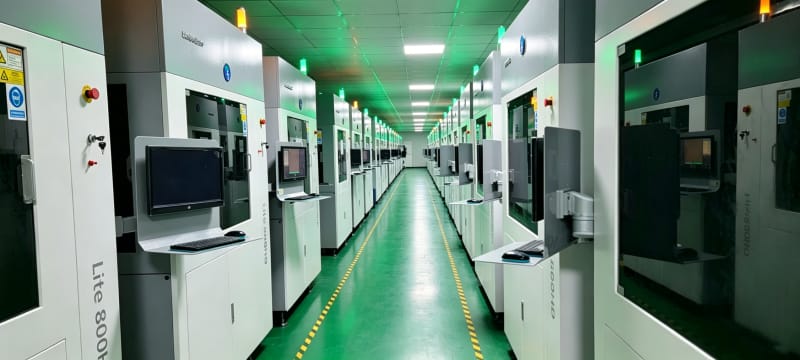
Materials and Detail Levels Only a Service Can Unlock
Desktop FDM machines mostly run PLA, ABS, PETG and occasionally TPU; desktop resin printers open detailed photopolymers but stay limited to small trays. A service bureau adds the materials that define serious functional projects: glass- and carbon-fiber-filled nylon such as PA12-GF and PA12-CF for stiff jigs and drone frames, flexible TPU in controlled shore grades, ASA for outdoor UV resistance, castable wax resin for lost-wax jewelry, and aluminum, stainless steel or titanium for metal upgrades. Table 1 compares the processes a hobbyist can access through a website that 3d prints for you, from familiar FDM all the way to industrial metal fusion.
Process | Typical layer height | Minimum practical wall | Supports required | Best hobby project |
FDM | 0.10 - 0.30 mm | 0.8 - 1.2 mm | Yes for overhangs | Jigs, large shells, low-cost drafts |
SLA / DLP resin | 0.025 - 0.10 mm | 0.4 - 0.6 mm | Yes | Miniatures, jewelry masters, display models |
SLS nylon | 0.10 - 0.12 mm | 0.7 - 1.0 mm | No, powder bed supports parts | Hinged parts, wearables, cosplay armor |
MJF PA12 | around 0.08 mm | 0.8 - 1.0 mm | No | Functional small series, consistent copies |
SLM metal | 0.02 - 0.06 mm | 0.5 - 1.0 mm | Yes | RC brackets, threaded metal parts |
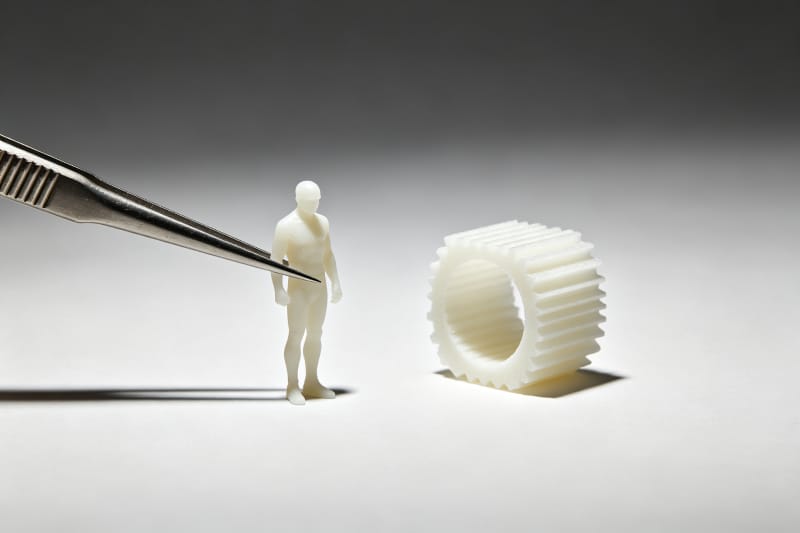
Detail resolution is the second reason makers outsource. A 0.4 mm FDM nozzle cannot reproduce 0.1 mm engraved lettering or the teeth of a 28 mm miniature; an industrial SLA machine at 50 micrometer layers can. SLS and MJF produce a softly matte, finely grainy nylon surface that hides layer lines almost completely, which is why cosplay builders and small-product makers increasingly favor them. When comparing cheap online 3d printing offers, weigh not just price per gram but the layer height and material the price actually buys—a cheap FDM print of a fine-detail model is a false economy.
Matching the Right Process to Your Maker Project
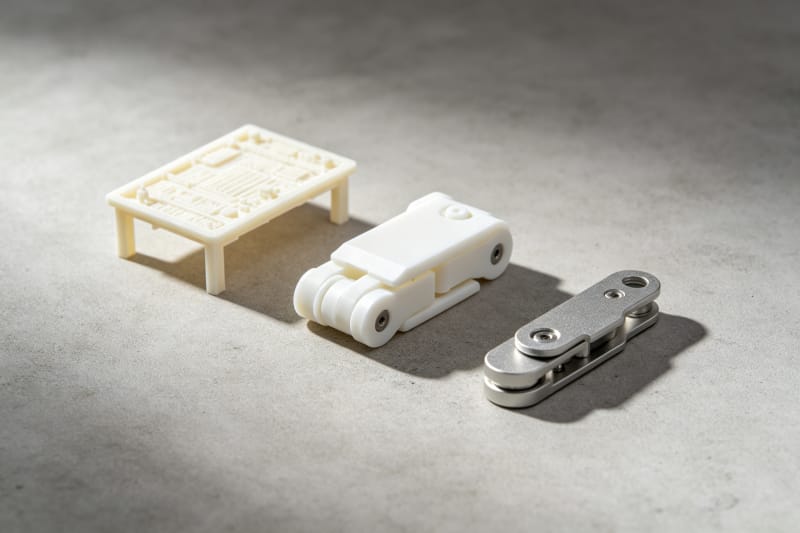
Process selection follows three questions: how must the part look, how must it perform, and how many copies do you need? Display miniatures and tabletop models reward SLA resin for crisp detail and smooth surfaces; functional mechanisms that snap, hinge or flex suit SLS nylon because unsintered powder acts as a natural support and allows interlocking parts in a single build; durable end-use parts in runs of five to fifty favor MJF PA12 for repeatability; metal upgrades for bikes, cameras or RC vehicles justify SLM when plastic keeps failing. Matching process to purpose prevents the most common hobbyist mistake: paying for precision on a part that never shows it, or saving money on a part that truly needs it.
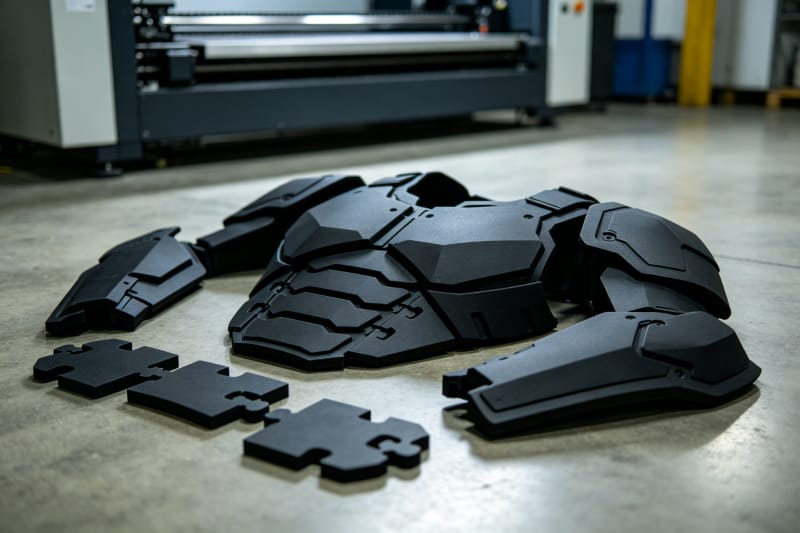
Build volume and assembly strategy matter just as much. A typical desktop FDM bed is around 220 × 220 × 250 mm, while industrial SLA and SLS systems routinely build 300-600 mm parts and large-format machines go further still. Oversized projects—cosplay chest plates, drone airframes, architectural models—can be split into keyed segments that print flat and bond cleanly, which is cheaper and more accurate than fighting a crowded home bed. HUANYA's application engineers review every maker upload for split lines, wall thickness and process fit before production, so the chosen technology matches the part rather than the other way around.
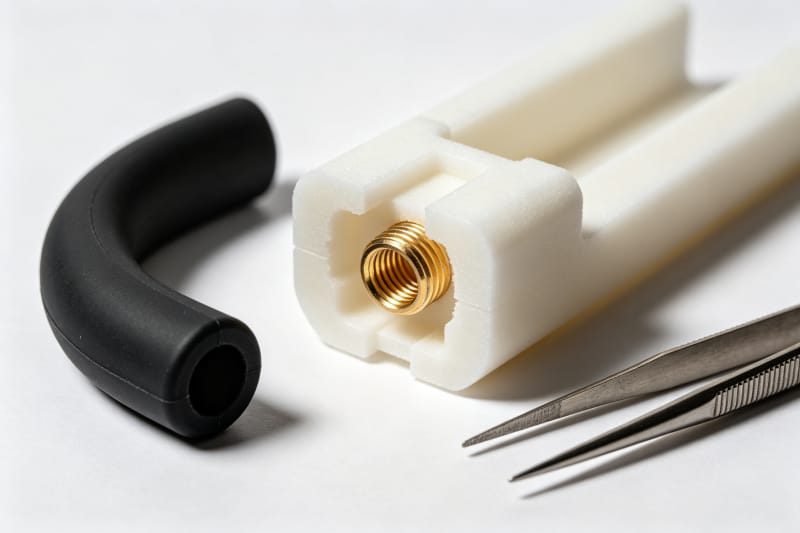
Some projects are best served by combining processes rather than choosing just one. A rigid nylon chassis printed in SLS can accept heat-set brass threaded inserts for reliable screw joints, while a flexible TPU grip printed separately snaps over it; a display model may be SLA on the visible side and cheap FDM in hidden sections. Multi-component builds like this exploit each material where it performs instead of compromising on a single filament. HUANYA routinely produces matched sets in different processes and materials, so a maker can order a rigid frame, a rubber-like seal and a metal insert as one consistent kit.
A process mismatch usually announces itself through a predictable failure mode. FDM parts are anisotropic—the bond between layers is weaker than the material along the extrusion path, so a load-bearing hook printed with layer lines across the force direction will split; rotating the same part so forces run within layers often solves it. SLA resin is stiff but can turn brittle under prolonged outdoor UV unless an engineering-grade resin is chosen, and SLS nylon is tough but carries a grainy as-built surface that is not mirror-smooth. Matching expectations to these traits, instead of ordering the cheapest process and hoping, prevents the disappointment of a part that looks right but fails in use.
Preparing a File That Prints Correctly the First Time
Most failed service orders fail at the file stage, not the machine. Export from CAD as STL or 3MF with a chordal tolerance of 0.01-0.05 mm: too coarse and curves look faceted, too fine and the file bloats without visible gain. Check wall thicknesses, close every open mesh hole, and merge overlapping bodies into a single solid; moving parts need designed clearance rather than touching faces. Table 2 summarizes the practical minimums to design toward for each process; staying above these numbers is the fastest way to avoid a "not printable" message after upload.
Design feature | FDM | SLA / DLP | SLS / MJF |
Minimum wall thickness | 0.8 - 1.2 mm | 0.4 - 0.6 mm | 0.7 - 1.0 mm |
Raised or engraved detail | 0.4 - 0.8 mm | 0.1 - 0.2 mm | 0.5 - 0.8 mm |
Clearance between moving parts | 0.4 - 0.6 mm | 0.2 - 0.4 mm | 0.3 - 0.5 mm |
Minimum reliable hole | 1.0 - 2.0 mm | 0.5 mm | 0.8 - 1.0 mm |
Recommended export tolerance | 0.01 - 0.05 mm chordal tolerance, all processes | ||
Orientation and hollowing control both cost and quality. Surfaces angled away from the build platform avoid support marks; large flat faces should rarely sit flat on an SLA tray because peel forces tend to warp them. Hollowing thick resin models and adding drain holes cuts resin consumption sharply, while FDM and SLS parts can rely on sparse internal structure because strength comes from shell and skin. A few minutes of orientation and hollowing work before upload often saves more than any discount code, and HUANYA flags these opportunities during file review instead of silently printing an unnecessarily heavy part.
A repeatable export workflow removes most file errors before they ever reach the service. Model in millimeters, keep a clean version history, and run the exported STL or 3MF through a mesh check that flags inverted normals, non-manifold edges and intersecting bodies; 3MF is generally preferable because it embeds units and scale, while binary STL keeps file size small for complex meshes. Name files by part and version, bundle assemblies into a single zip, and mark which faces matter cosmetically when the brief allows it. A tidy package takes minutes to prepare and removes the back-and-forth that otherwise delays every first print.
What Actually Drives the Price of a One-Off Print
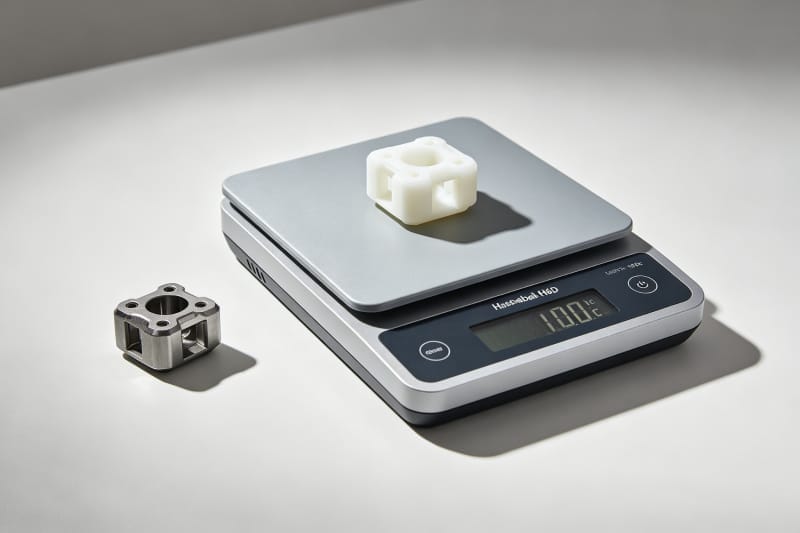
Service pricing is built from four levers: material consumption, machine time, post-processing and logistics. Material cost scales with part volume and the material's density—nylon is light, metal is dense, so identical geometry costs differently by material; machine time scales with layer count and build height, which is why a flat part often beats a tall one. Post-processing—support removal, resin washing and UV curing, bead blasting nylon, CNC or polishing—carries its own line, and express shipping adds the rest. Understanding these levers lets a maker redesign for cost rather than arguing with the quote.
Quantity changes the math faster than anything else. A single part carries the full setup cost: file handling, build preparation and a share of machine warm-up. Ordering two to ten copies in one build spreads that fixed cost, and powder-bed processes such as SLS and MJF nest many parts in a single chamber at almost the same runtime, so per-unit cost drops steeply between one and ten pieces. When comparing offers, ask whether the price assumes one part or a shared build, and stay cautious about cheap online 3d printing deals that omit post-processing—support-studded, unwashed parts at your door are not really a bargain.
Finishing Touches That Make a Hobby Build Look Professional
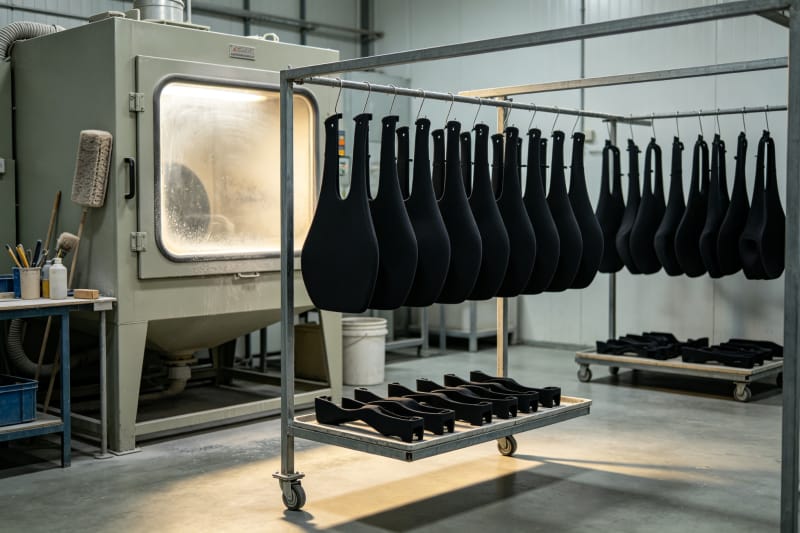
Raw prints rarely look finished, and finishing is where hobby projects separate from professional-looking builds. FDM parts respond to sanding through progressively finer grits followed by filler primer; SLA resin parts sand easily and take paint exceptionally well after washing and UV curing; SLS and MJF nylon can be bead-blasted to a uniform matte, dyed black or in colors, or vapor-smoothed for a sealed, softly glossy surface that is easy to wipe clean. Metal parts can be tumbled, blasted or polished to remove the sintered texture. Specifying the finish when you order avoids a second round of outbound shipping.
Consistency matters the moment a project has more than one part—or more than one buyer. A helmet assembled from twelve printed panels needs every panel at the same roughness and shade; twenty copies of a maker-fair product need identical dimensions so they all assemble the same way. Home printing drifts with humidity, nozzle wear and spool changes; an industrial service holds parameters fixed across the build. HUANYA applies the same finishing route to every copy in an order, which is exactly why customers never encounter unstable dimensional accuracy, missed delivery dates or batch-to-batch differences in post-processing quality.
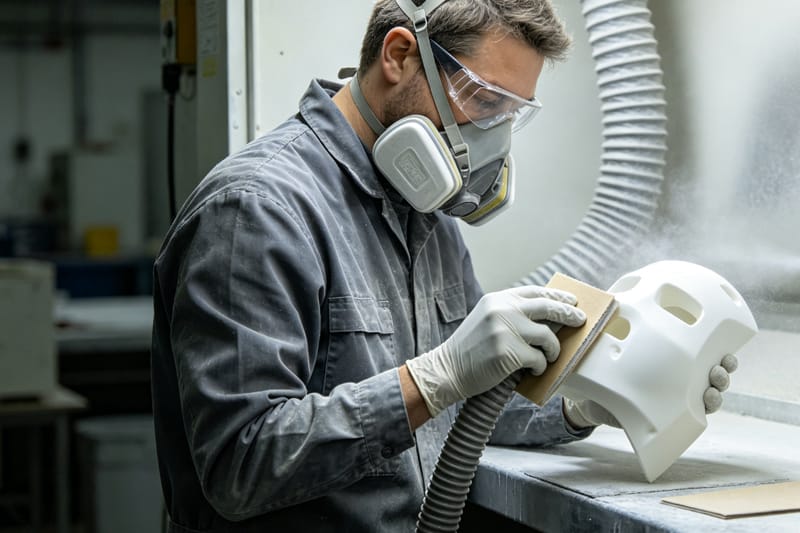
Smart process choice can reduce finishing before a part is ever printed. Choosing SLS or MJF removes support removal entirely and delivers a uniform matte surface that often needs nothing more than light cleaning; choosing vapor-smoothed nylon up front replaces an evening of hand sanding; choosing SLA for display parts means paint goes on without filling layer lines. When finishing is done at home, simple precautions matter: wet-sanding, or working with extraction and a dust mask, keeps fine particles and uncured-resin dust away, and gloves protect skin from residual resin. The goal is a finishing route decided at ordering time, not one discovered after a disappointing first result.
Turning a Personal Project Into a Small-Batch Product
Plenty of successful small products begin as a hobby file. The path from one prototype to a recurring side-business product runs through material validation, repeated fit checks and small production runs of ten to fifty units—the range where SLS and MJF shine because no tooling is required and design iterations stay inexpensive. Selling at a maker fair, on an Etsy-style store or to a local club becomes realistic when each unit arrives consistent, shelf-ready and within a predictable lead time. Industrial on-demand capacity means one viral weekend does not leave you hand-printing orders for three weeks.
Running a small maker business also demands discretion and reliability: your original STL is your intellectual property, and a trustworthy service treats uploads as confidential, never reuses customer geometry, and keeps repeat orders on file so re-ordering takes a single click. Lead times should be stated before payment, quality issues resolved without argument, and material advice honest about trade-offs. These traits separate a genuine manufacturing partner from a faceless upload portal, and they matter long before a hobby brand ever scales up.
Why Makers Stay With HUANYA Beyond the First Print
A 3D printing service is worth keeping when it grows with your projects: first a single resin miniature, then SLS cosplay armor, then an MJF small series, and eventually a metal camera mount. HUANYA covers FDM-grade plastics, detailed SLA resin, SLS and MJF nylon, and industrial metal printing under one roof, with file review, transparent itemized quoting, controlled post-processing and dependable worldwide shipping for makers and small brands. Upload your STL or 3MF, tell us the goal—display, function or small series—and our engineers will recommend the process and finish that fit, so every hobby build comes back right the first time and scales when your project does.


Leave a Comment